Smart Home Office Furniture Setup Tips for Everyday Comfort
Creating a smart home office is more than arranging a desk and chair. It involves designing a workspace that supports comfort, productivity, and long-term well-being. As more people spend extended hours working from home, the importance of thoughtful furniture setup continues to grow.
A well-planned office setup can reduce physical strain, improve focus, and enhance efficiency. This guide explores practical tips and insights to help you create a comfortable and functional home office environment.
Understanding the Basics of Smart Office Design
A smart home office blends ergonomics, technology, and organization. The goal is to create a space that adapts to your needs rather than forcing you to adjust constantly.
Comfort should be the foundation of your setup. Furniture that supports natural posture helps reduce fatigue and discomfort. At the same time, smart integration of tools and layout ensures smooth workflow throughout the day.
Key elements of a smart office include:
- Ergonomic furniture that supports posture
- Efficient use of space
- Proper lighting and ventilation
- Organized cable and device management
- Flexible layout for different tasks
When these elements work together, your workspace becomes more intuitive and less stressful.
Choosing the Right Desk for Daily Use
The desk is the centerpiece of any home office. It should provide enough space for your tasks while maintaining a clean and organized appearance.
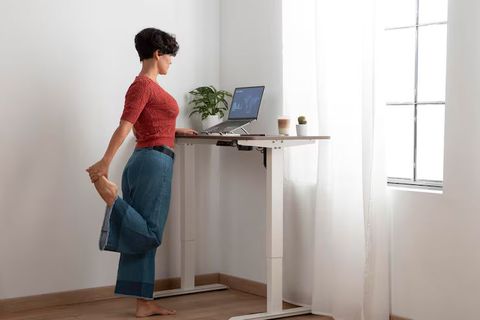
A desk with adjustable height can offer flexibility between sitting and standing. This helps reduce prolonged sitting and encourages movement throughout the day. If space is limited, a compact desk with storage can be a practical solution.
Consider the following when selecting a desk:
- Surface area for laptop, monitor, and accessories
- Height compatibility with your chair
- Storage options like drawers or shelves
- Stability and durability
Desk Placement Tips
Positioning your desk correctly can improve comfort and productivity. Ideally, place it near a window to take advantage of natural light. This helps reduce eye strain and creates a more pleasant working environment.
Avoid placing your desk directly facing distractions like television or high-traffic areas. A quiet and focused setup can make a noticeable difference in daily performance.
Ergonomic Chair Setup for Better Posture
A good chair supports your body during long working hours. Poor seating can lead to back pain, neck strain, and reduced productivity over time.
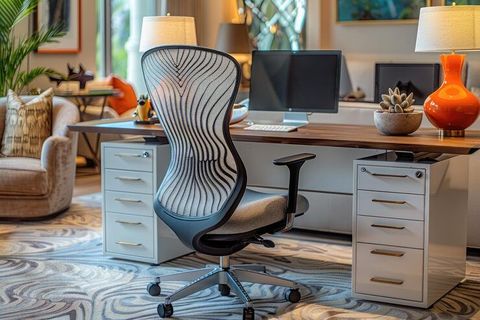
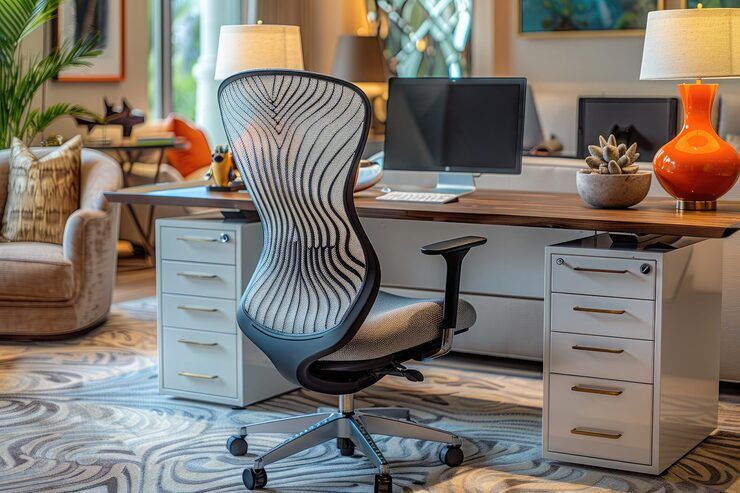
An ergonomic chair should support the natural curve of your spine. Adjustable features allow you to customize the chair according to your body.
Key features to look for:
- Adjustable seat height
- Lumbar support
- Armrests that align with your desk
- Breathable material for comfort
Proper Sitting Position
Maintaining the correct sitting posture is essential for long-term comfort. Follow these simple guidelines:
- Keep feet flat on the floor
- Knees at a 90-degree angle
- Back fully supported by the chair
- Screen at eye level
Small adjustments in posture can prevent discomfort and improve focus during work sessions.
Organizing Your Workspace for Efficiency
A clutter-free workspace helps reduce distractions and improves productivity. Smart organization ensures that everything you need is within reach.
Use storage solutions that keep your desk tidy without overcrowding it. Vertical storage options can help save space while maintaining accessibility.
Practical Organization Ideas
- Use drawer organizers for small items
- Keep frequently used tools within arm’s reach
- Label storage boxes for easy identification
- Maintain a minimal setup to avoid clutter
Below is a simple table to guide workspace organization:
| Area | Suggested Setup | Benefit |
|---|---|---|
| Desk Surface | Minimal items, essential tools only | Reduces distractions |
| Storage Drawers | Organized compartments | Easy access to items |
| Cable Management | Clips or sleeves | Clean and safe environment |
| Wall Space | Shelves or boards | Saves desk space |
An organized workspace not only looks better but also helps maintain mental clarity throughout the day.
Lighting and Environment Optimization
Lighting plays a crucial role in comfort and productivity. Poor lighting can cause eye strain and fatigue, especially during long work hours.
Natural light is ideal, but it should be balanced to avoid glare on screens. If natural light is limited, use adjustable desk lamps that provide adequate brightness.
Tips for better lighting:
- Position light sources to avoid screen reflections
- Use warm lighting for a comfortable atmosphere
- Combine ambient and task lighting
Temperature and air quality also impact comfort. A well-ventilated room with a comfortable temperature helps maintain focus and energy levels.
Integrating Smart Features into Your Setup
Smart home office setups benefit from technology that enhances convenience and efficiency. Simple additions can make daily work smoother and more enjoyable.
Examples of smart features include:
- Voice-controlled lighting
- Adjustable desks with memory settings
- Wireless charging stations
- Smart plugs for energy management
These tools help automate routine tasks and create a more seamless working experience.
Cable and Device Management
Managing cables is essential for both safety and aesthetics. Tangled wires can create clutter and distractions.
Effective cable management tips:
- Use cable clips to secure wires
- Route cables behind the desk
- Use wireless devices when possible
- Keep power strips organized
A clean setup improves both functionality and visual appeal.
Creating a Flexible and Personalized Workspace
Every individual has unique work habits and preferences. A smart home office should reflect your needs and support your workflow.
Flexibility is key. Your setup should allow you to switch between tasks comfortably. For example, you may need space for focused computer work and separate space for writing or reading.
Personalization Tips
- Add elements that inspire creativity
- Use colors that promote calm and focus
- Include plants for a refreshing environment
- Adjust layout based on daily tasks
A personalized workspace increases motivation and makes work more enjoyable.
Maintaining Comfort Throughout the Day
Comfort is not just about furniture; it also involves habits and routines. Even the best setup requires regular adjustments and mindful practices.
Take short breaks to stretch and move around. This helps reduce stiffness and improves circulation. Adjust your posture periodically to avoid strain.
Simple habits for daily comfort:
- Stand and stretch every hour
- Keep water nearby to stay hydrated
- Adjust screen brightness based on lighting
- Maintain a consistent work routine
Consistency in these habits supports long-term well-being and productivity.
Common Mistakes to Avoid
While setting up a home office, certain mistakes can reduce comfort and efficiency. Being aware of these can help you create a better workspace.
Avoid these common issues:
- Using non-ergonomic furniture
- Ignoring proper desk height
- Overcrowding the workspace
- Poor lighting setup
- Lack of organization
Addressing these factors early can prevent discomfort and improve your overall work experience.
Conclusion
A smart home office furniture setup is an investment in your daily comfort and productivity. By focusing on ergonomics, organization, lighting, and flexibility, you can create a workspace that supports both your physical and mental well-being.
Small improvements can make a big difference over time. Whether it is adjusting your chair, organizing your desk, or improving lighting, each step contributes to a more comfortable and efficient work environment.
Design your workspace with intention, and it will support you in achieving better focus, comfort, and balance every day.