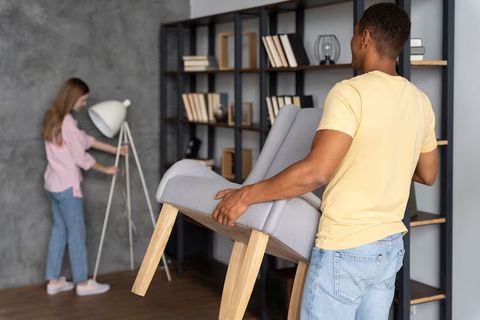
Explore Ergonomic Office Chairs: Smart Suggestions for Office Setup
A well-designed workspace plays a major role in comfort, focus, and long-term health. One of the most important elements in any office setup is the chair you sit on every day. Ergonomic office chairs are designed to support the body’s natural posture and reduce strain during extended work hours.
This guide explores ergonomic office chairs in a practical and user-friendly way. It explains their features, benefits, and how to choose the right one for your workspace. Whether you work from home or in an office, the right chair can make a noticeable difference in your daily routine.

Understanding Ergonomic Office Chairs
Ergonomic office chairs are designed to align with the human body’s natural posture. Unlike traditional chairs, they focus on supporting key areas such as the spine, neck, and hips.
These chairs aim to reduce discomfort caused by prolonged sitting. They encourage proper posture and movement, helping to prevent fatigue and physical strain over time.
Most ergonomic chairs come with adjustable components. This allows users to customize the chair according to their body type and working style.
Key Features to Look For
Choosing an ergonomic chair involves understanding its main features. Each element contributes to overall comfort and usability.
Adjustable Seat Height and Depth
The seat height should allow your feet to rest flat on the floor. Your knees should be at a 90-degree angle for optimal comfort.
Seat depth is equally important. There should be a small gap between the back of your knees and the seat edge to avoid pressure.
Lumbar Support
Proper lumbar support helps maintain the natural curve of the lower spine. This reduces the risk of back discomfort and improves posture.
Many ergonomic chairs include adjustable lumbar support. This feature allows users to position the support exactly where it is needed.
Armrests and Backrest
Armrests should support your arms without raising your shoulders. Adjustable armrests can help reduce strain on the neck and shoulders.
The backrest should follow the natural curve of your spine. Reclining options can also provide flexibility during long working hours.
Benefits of Using Ergonomic Chairs
Ergonomic office chairs offer several advantages that go beyond basic comfort. They contribute to both physical well-being and work efficiency.
- Improved posture during long sitting sessions
- Reduced strain on the neck, shoulders, and back
- Better blood circulation due to proper seating position
- Increased focus and productivity
- Lower risk of long-term musculoskeletal issues
Using an ergonomic chair regularly can lead to healthier work habits. It also helps create a more comfortable and supportive workspace environment.
Comparing Ergonomic Chair Types
Different types of ergonomic chairs are available, each suited for specific needs. Understanding their differences can help in making the right choice.
| Chair Type | Best For | Key Features | Comfort Level |
|---|---|---|---|
| Task Chairs | Short to moderate work hours | Basic adjustments, compact design | Moderate |
| Executive Chairs | Long work sessions | High backrest, cushioning | High |
| Mesh Chairs | Warm environments | Breathable material, lightweight | High |
| Kneeling Chairs | Posture improvement | Forward tilt, open hip angle | Moderate |
| Saddle Chairs | Active sitting | Promotes spine alignment | Moderate |
Each type serves a different purpose. Selecting one depends on your daily usage, workspace, and personal comfort preferences.
Smart Setup Tips for Your Workspace
An ergonomic chair works best when combined with a properly arranged workspace. Small adjustments can significantly improve comfort and efficiency.
- Keep your monitor at eye level to avoid neck strain
- Position your keyboard and mouse within easy reach
- Maintain a neutral wrist position while typing
- Ensure proper lighting to reduce eye strain
- Take short breaks to stretch and move around
Your chair should complement your desk setup. Together, they create a balanced and supportive working environment.
Common Mistakes to Avoid
Even with a high-quality ergonomic chair, improper usage can reduce its benefits. Avoiding common mistakes ensures you get the most out of your setup.
- Sitting for long periods without breaks
- Ignoring chair adjustments and using default settings
- Slouching or leaning forward excessively
- Placing feet unevenly or crossing legs frequently
Making small corrections in posture and habits can improve your overall experience. Consistency is key when it comes to ergonomic practices.
How to Maintain Your Ergonomic Chair
Regular maintenance helps keep your chair functional and comfortable over time. Simple care routines can extend its usability.
- Clean the chair surface regularly to remove dust and dirt
- Check adjustment mechanisms for smooth operation
- Tighten screws and components when necessary
- Avoid excessive weight or improper use
Proper maintenance ensures that your chair continues to provide support and comfort in the long run.
Final Thoughts
Ergonomic office chairs are an essential part of a well-designed workspace. They support better posture, reduce physical strain, and improve overall productivity.
Choosing the right chair involves understanding your needs and the features that matter most. When combined with a thoughtful workspace setup, ergonomic seating can transform your daily work experience.
Investing time in selecting and adjusting your chair can lead to long-term comfort and efficiency. A supportive workspace is not just about furniture, but about creating a healthier way to work.